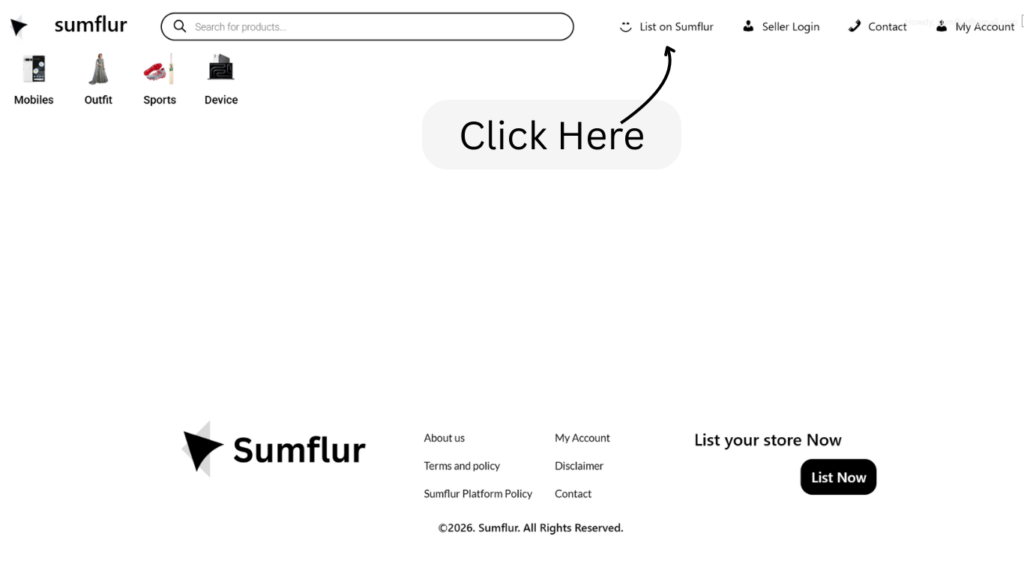
Step 1: Visit the “List on Sumflur” Page Go to sumflur.com and click on the List on Sumflur link, usually found in the menu or at the top of the website.
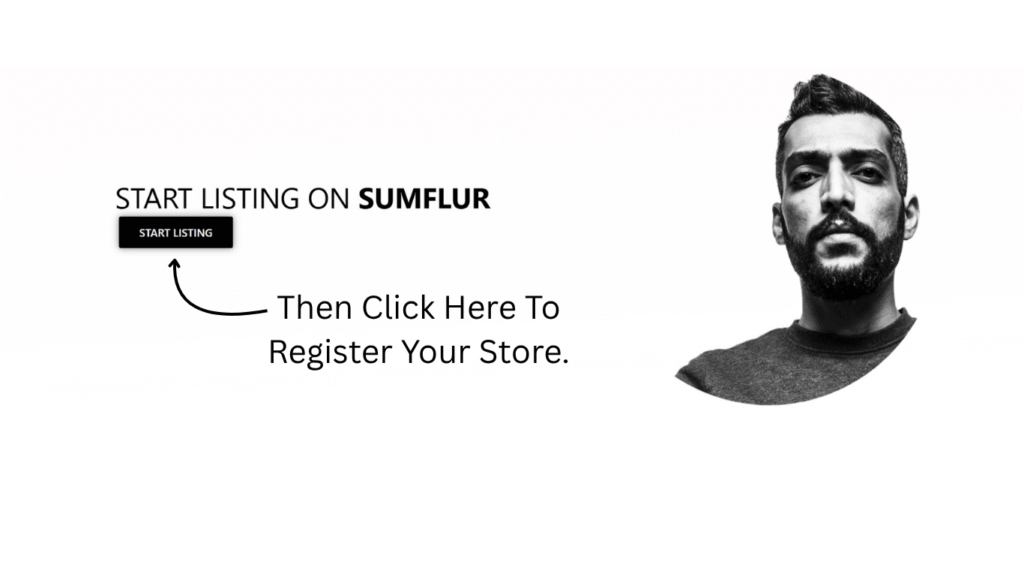
step 2: Click on the “Start Listing” Button You’ll see a button that says “Start Listing”. Click on it to begin your registration
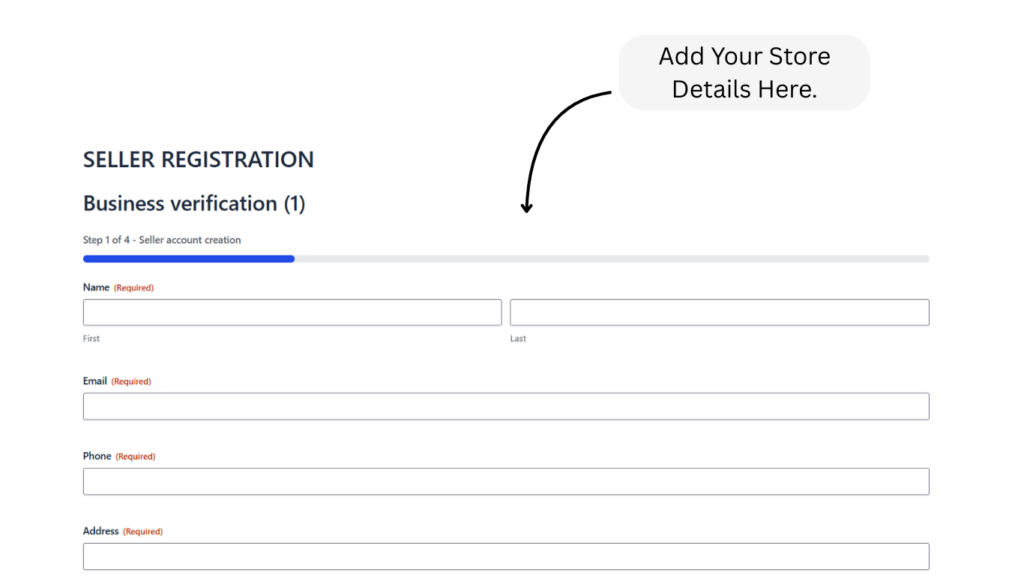
Step 3: Fill Out the Registration Form Enter your basic details such as your name, shop name, email address, phone number, and business address. Create a secure password for your account.
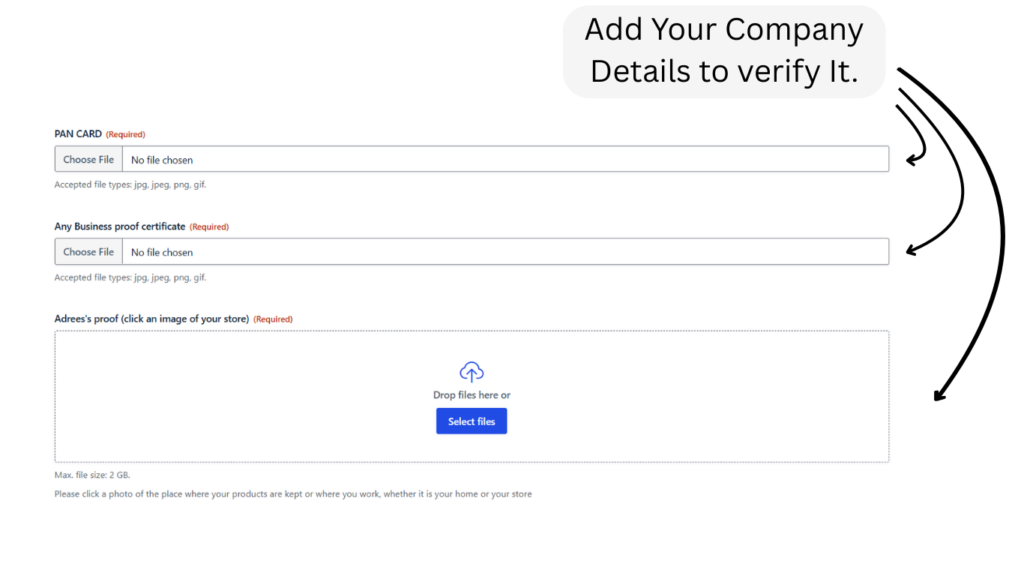
Step 4: Add Your Business Information Fill in details like your Any business certificate, business category, and upload necessary documents like your ID proof and business proof for store verification.
Step 5: Wait for Approval Once you submit the form, our team will review your application. You’ll receive an email once your account is approved.
Subscription for Sumflur sellers
Want to know more details about it
Factors Influencing Seller Fees and Pricing on Sumflur
Subscription -We charge a subscription fee because we do not take any commission from your product sales.
Instead, the subscription allows us to provide you with the tools and support to list your products on our platform and reach more customers.
The subscription charges are kept fair and are based on your business size and the type/price of products you sell.
This way, you can grow your business without worrying about losing a share of your earnings on every order.
Subscription of Sumflur
Features
Listing your product as per your product stock and variations.
Priority support for listing your product.
Advertising your product in Sumflur.
The Upcoming features will be added in future.
All kinds of product You Can List on Sumflur
Start Listing from now
Grow Your Business with Sumflur Join Sumflur and reach more customers in your region with ease. Simple setup, powerful visibility, and genuine connections — start listing today and turn your products into opportunities!